
Docs menu
Build a scenario
Scenario file Generators vars and const Time and pace Defaults Relationships Schedules Instances Lifecycle Collections Connections Delivery behaviorStudio
Run and Stop
Goal: run the open scenario the way CLI run does, watch delivery counts, and stop cleanly.
Run compiles the open buffer (saved or unsaved) with preview mode off. Configured Kafka, PostgreSQL, HTTP, file, S3, GCS, and Azure Blob connections open. Pacing is real-time.
Dry-run vs destinations
Value-only generators, and connector-shaped generators with no connection, emit on Studio’s dry-run path — the same idea as CLI run --stdout. Events still appear in the timeline; no destination is contacted.
When a generator names a connection, Run delivers there. This file would open Kafka on localhost:9092 and write to shop.orders:
connections:
  eventBus:
    type: kafka
    brokers: [localhost:9092]

generators:
  - name: orders
    connection: eventBus
    config:
      maxEvents: 2
    vars:
      orderId: =seq(pattern=ORD-%03d)
    topic: shop.orders
    key: $orderId
    value:
      orderId: $orderId
      status: placed
      total: =cycle(49.99, 84.50)
Preview the envelope first with Sample (or CLI sample). Sample never opens the broker. Connection fields: Connections.
Status
A compact strip under the timeline updates while Sample or Run is active:
- state —
running,stopping,stopped, orfailed - seed
- Sample reports emitted; Run reports attempted, and delivered when it differs
- failed, discarded, and repeated when those counts are non-zero
- elapsed time while the action is live
The footer repeats run: state (or sample: state) and an emitted count.
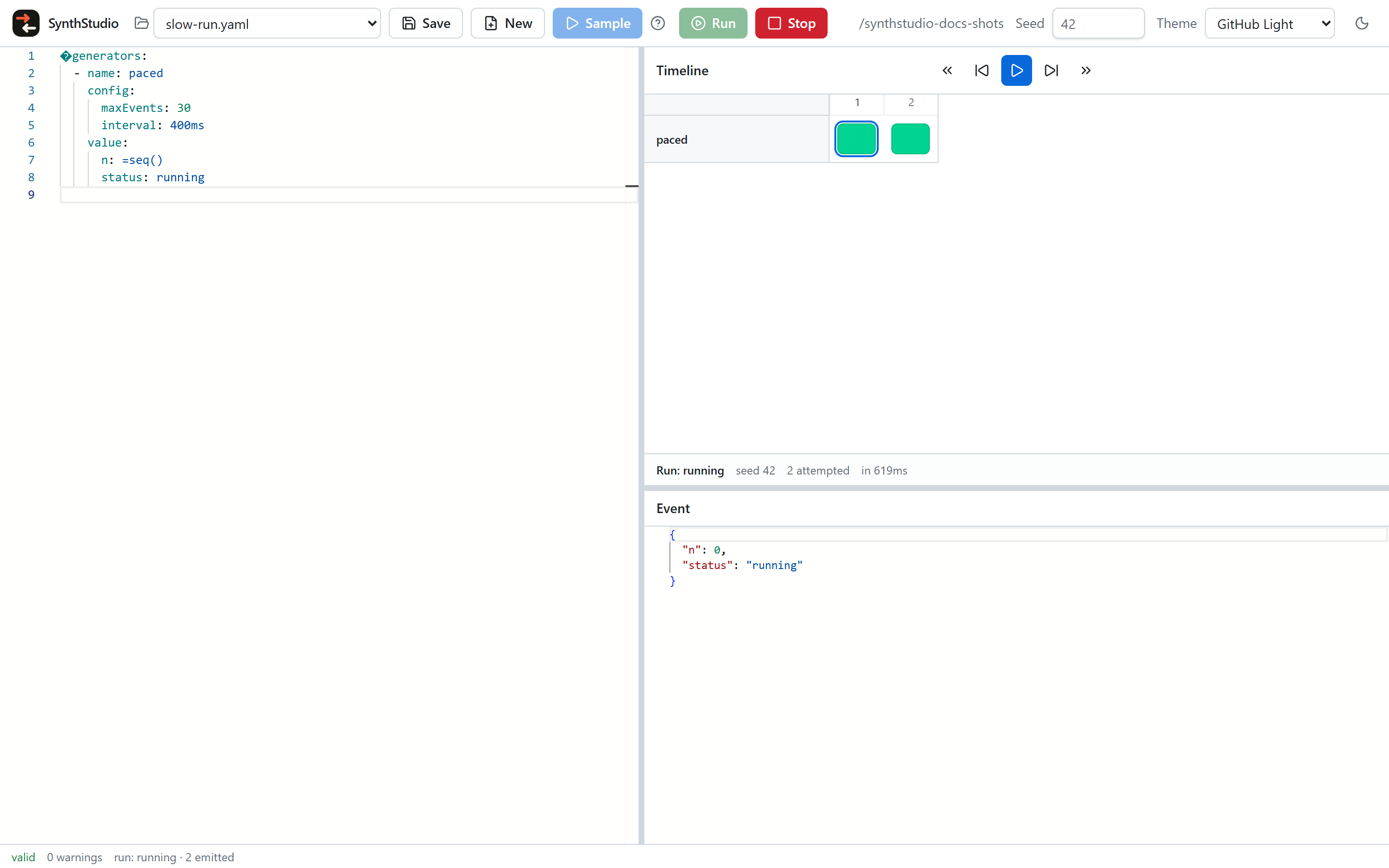
One run is active at a time. Sample is available only while idle.
Stop
Stop cancels the run context. The strip briefly reports stopping while connectors close, then stopped. The button is disabled after the first click so a second press does nothing.
The timeline retains only the first 200 emits. Later events still go to destinations; they are not added to the grid. There is no engine pause/resume — playback on the timeline only steps through events already captured.
Next: CLI run flags, or shape a connection.